How do I create a module template?
Last updated 19 days ago
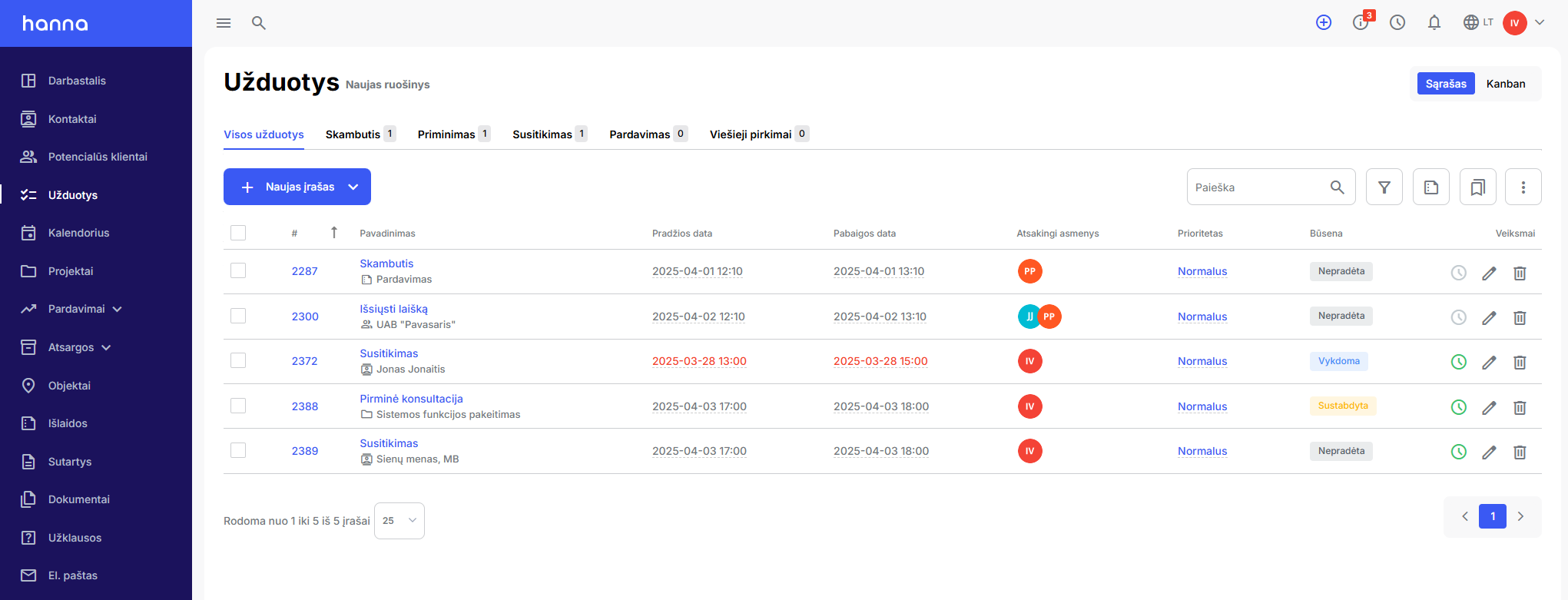
In the modules, the data is displayed according to the created templates. A template is a view of information with predefined values for filters and table columns. An unlimited number of templates can be created, used as default module views and shared with other system users.
How to create a new template?
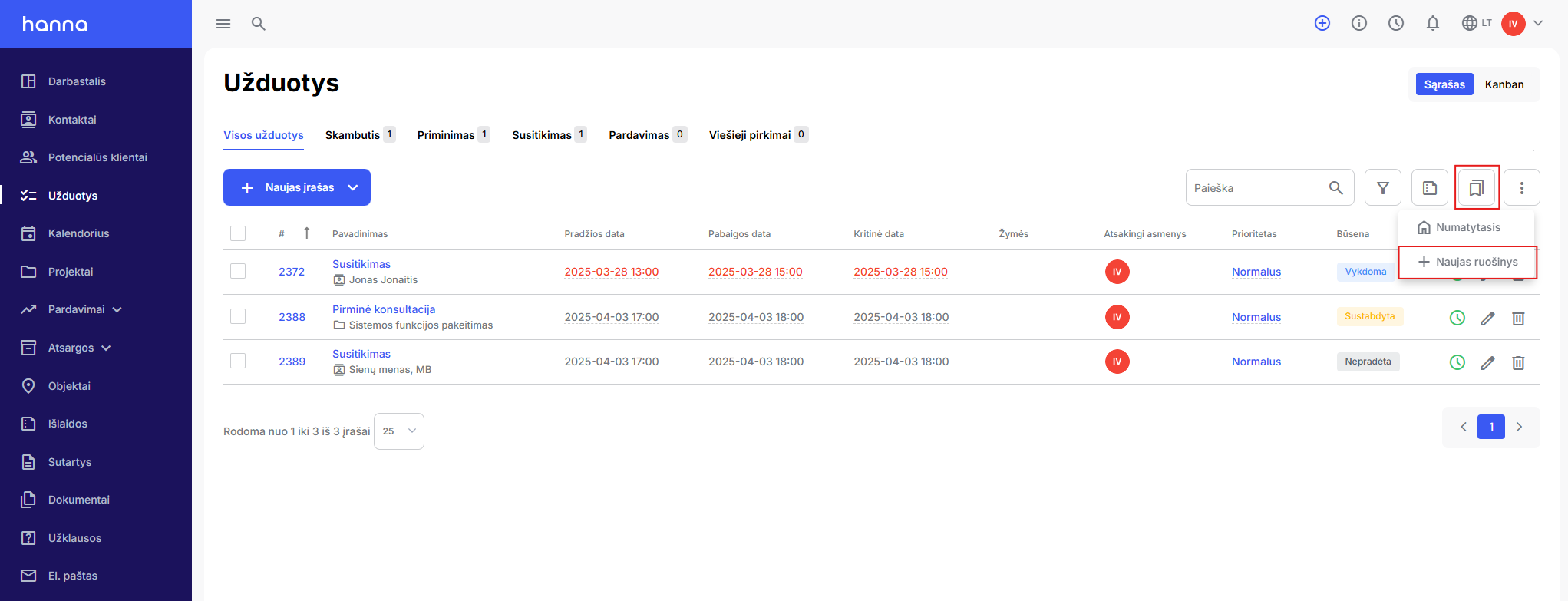
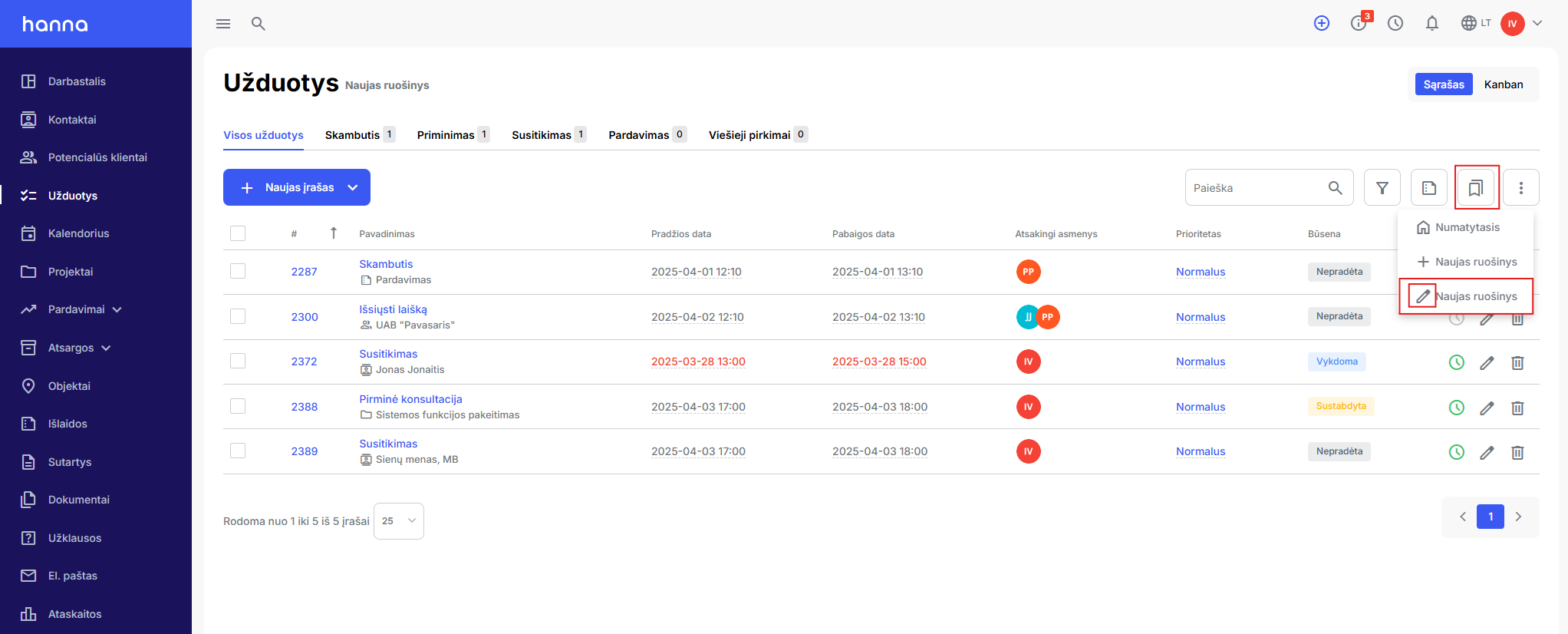
- ChooseTemplatesicon and optionNew preparation.
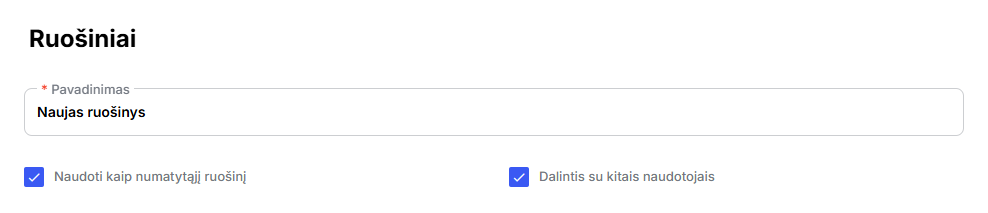
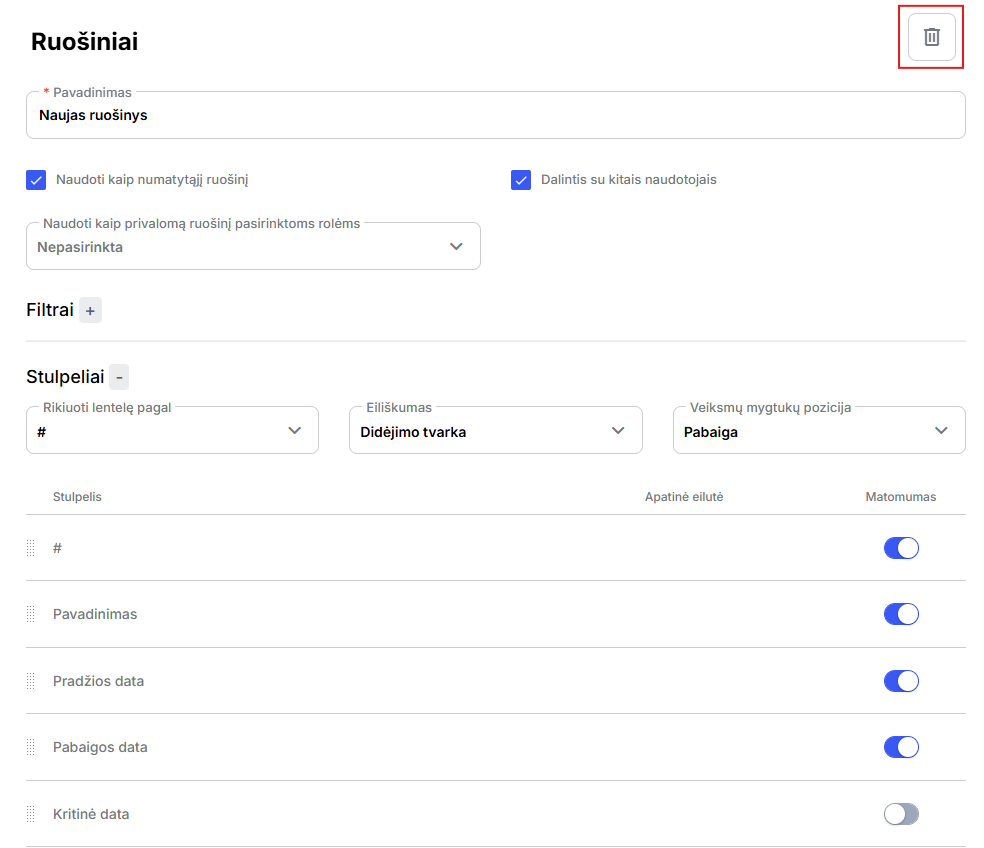
- Enter the name of the template in the newly opened window. Also indicate whether the template will be used asthe defaultand will there besharedwith other users.
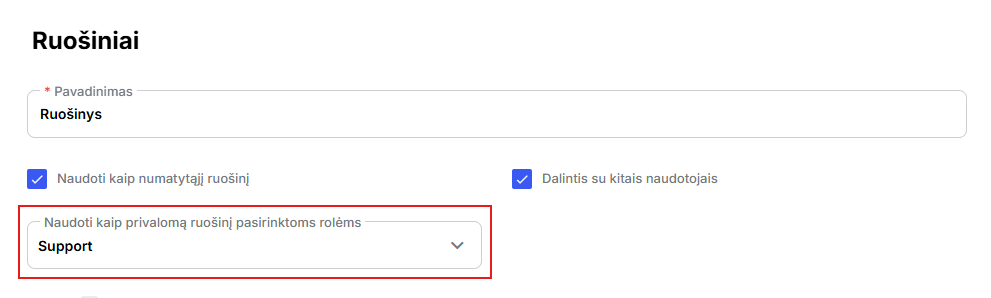
You can also choose whether the template should be adapted to a specific role. If the template is assigned to a role, then the relevant employees will not have the opportunity to create a separate template, because the template's icon will be invisible - a template will already be applied to their module review, which can only be adjusted by employees with system administrator rights.
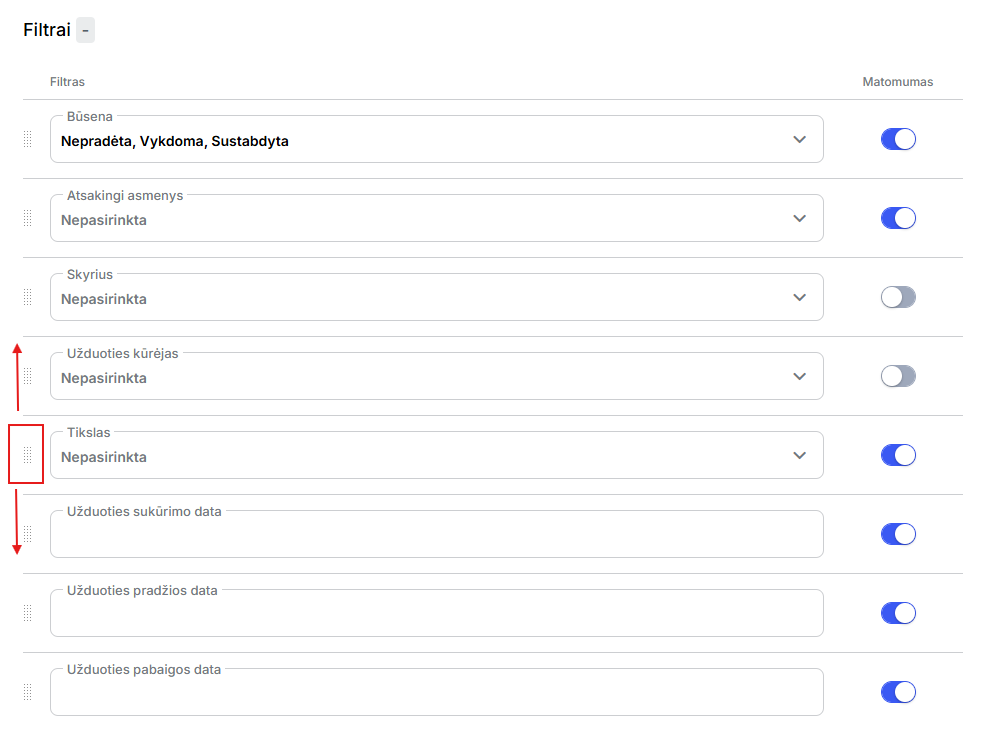
- Filterssection, select which filters you would like to see in your template. You can pre-select filter values, disable the visibility of unused filters or change their alignment.
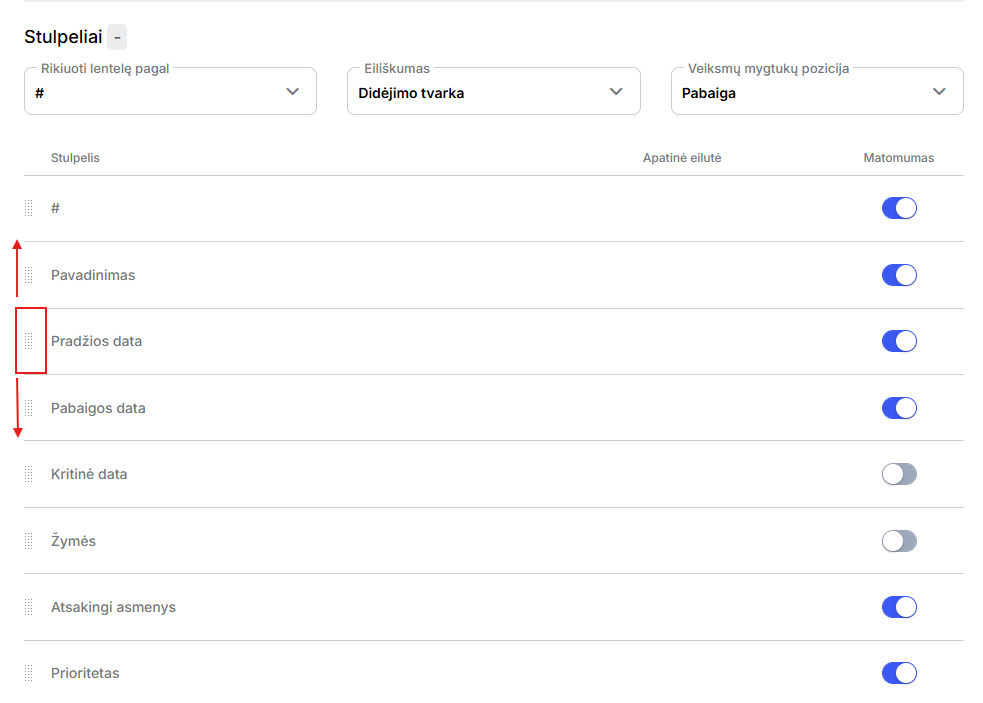
- Columnssection, select which columns should be visible in the table columns. You can specify the sorting of the columns and the sorting order. For unused columns, you can turn off visibility or change the order by clicking on the marked icon.
- Save ittemplate - records will be displayed according to your choices.
Editing and deletion of the template
Select to edit the templateTemplatesicon and the required template, and then selecteditingbadge. Make the necessary corrections and save the changes.
To delete a template, select edit template. Select the delete button in the window that opens.
Was this helpful?
Still need help? Ask the team