Accounting software error messages
Last updated 13 days ago
Below is a list of errors received in the Hanna system from accounting programs and their solutions:
Rivile system error messages
- No client code specified- for a contact whose invoice is issued, the Rivilė code is not indicated on the contact card:
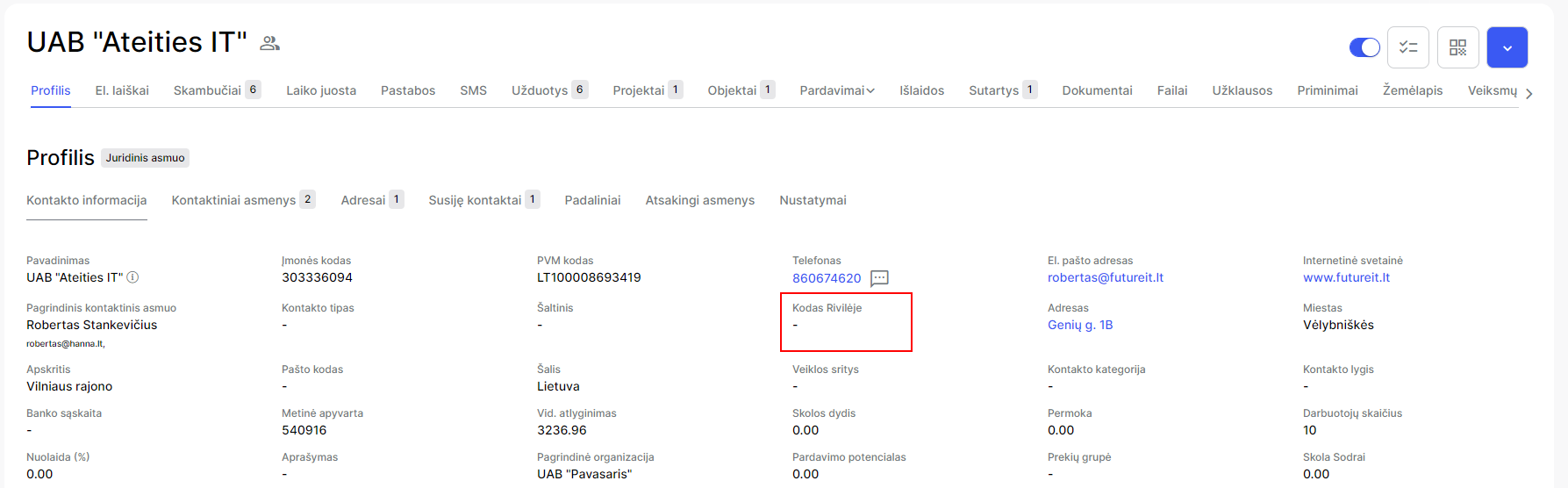
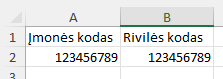
To enter the Code in Rivile on the contact card, create an excel document and specify the company code and the Rivile code:
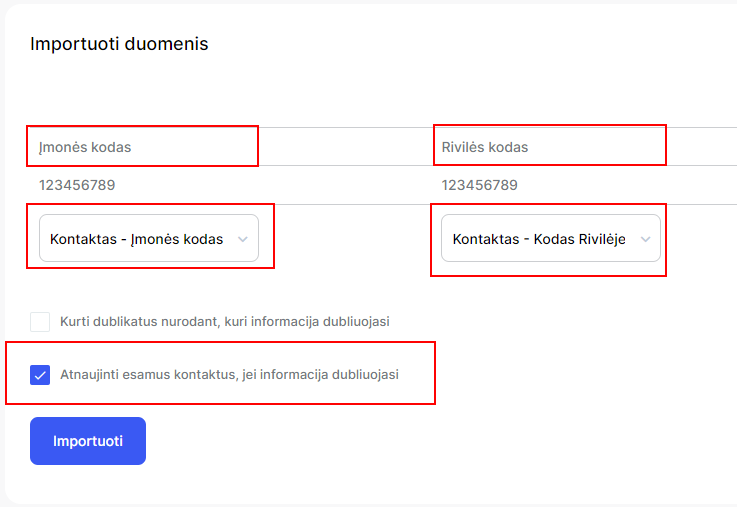
Select import contacts and upload the prepared file. Link the boxes, check the boxUpdate existing contactsand select Import:
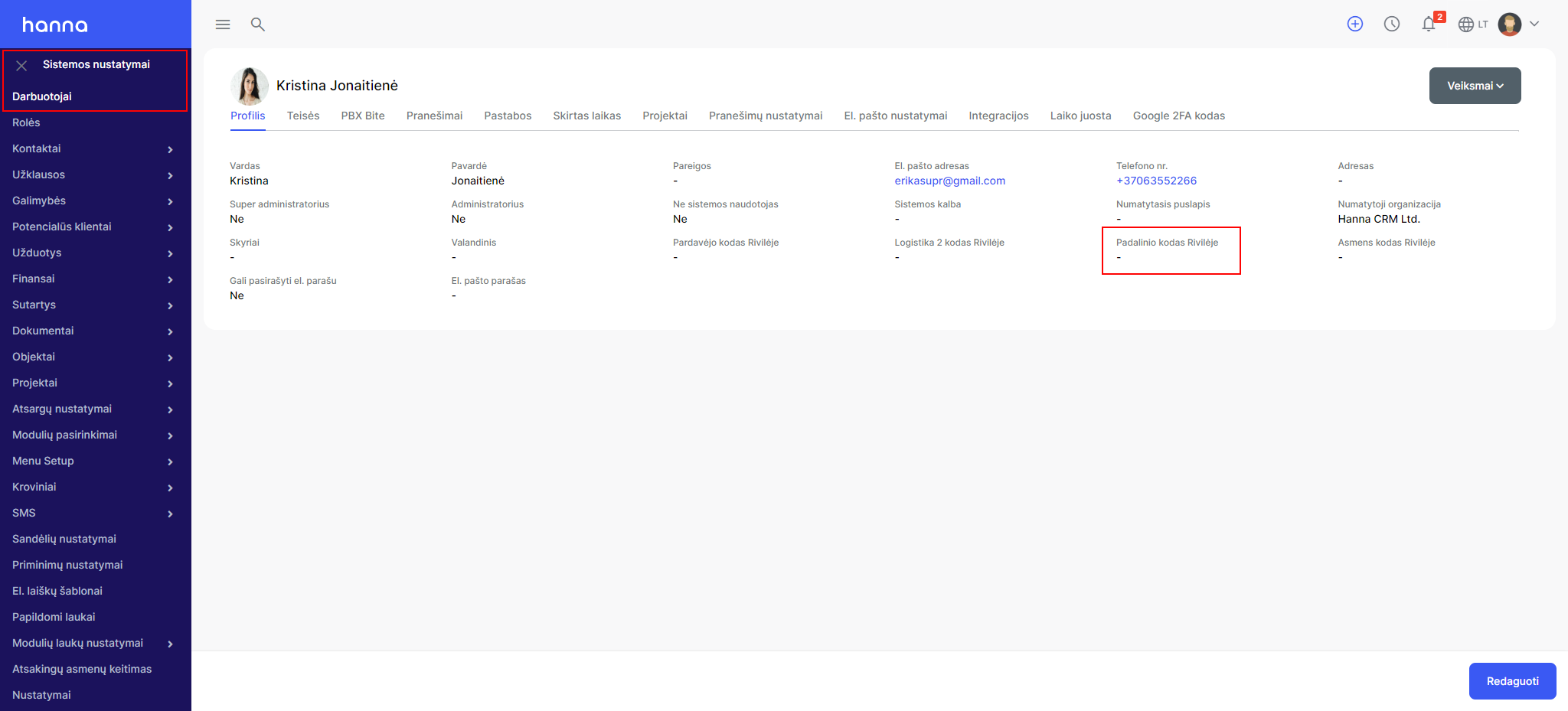
- Department code not entered- after choosing System settings - Employees - select the employee who is the seller of the account and indicate to himDepartment code:
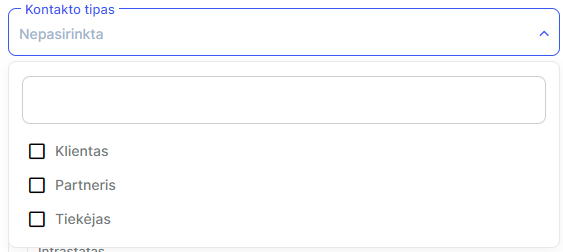
- You need to choose a buyer client- the type of contact displayed by the error message must be specified in the contact card. If the contact is created in the Hanna system, then the changes must be made in the Hanna system, if the contact is created in the Rivile system, then the changes must be made in the Rivile system.
- No such record / Such transaction code not found- the error is received when the account is deleted from the Rivile system, then there are no more links between the generated account.
-
Product/service code not found- the system displays an error when the product is manually entered into the generated invoice. When generating invoices in the system, goods should be added from the Items module.
-
Current balances will become negative- an error is displayed in the system when there is no product balance. If the product balance is positive in the Hanna system, then this product balance is no longer available in the Rivilė system.
-
No unit of measure found- an error is returned when the unit of measurement is not found in the system. It should be noted that when specifying units of measurement, it is very important to take into account upper and lower case letters. If you receive this error, you should check the units of measurement entered in the Rivile system with those entered in Hanna.
-
Product code not found - the error message informs that the product code is not specified, in this case the invoice must be checked for all product codes, they must match those in the Rivilė system, taking into account lowercase and uppercase letters.
-
This document number already exists- the error message indicates that such a document with the specified number already exists, so the system cannot create it again. The way to solve this error: delete the account in Rivile and save it in the Hanna system (depending on the direction of integration) or select the button in the account review form Send to: Rivile.
-
Unavailable period - informs that the period specified in the invoice belongs to the period for which it is no longer possible to create/edit invoices. This period is locked in the Rivile system.
-
The tax code has expired- an error on the part of Rivile is returned, in this case you should contact the representatives of Rivile.
-
There is no such sales manager- an error message is displayed when the customer's assignee does not have the specified Rivilė code on the employee's card.
-
The following customer code exists- the error message informs that the contact already exists in the Rivilė system with this customer code. The contact should be removed from the Rivile system, then this contact will be transferred from the Hanna system and the Rivile code will be assigned.
- The selling price is out of range- The sales price control has been applied in Rivile (so that the prices do not fall below the set limit). In this case, sales price control should be disabled in the Rivile system.
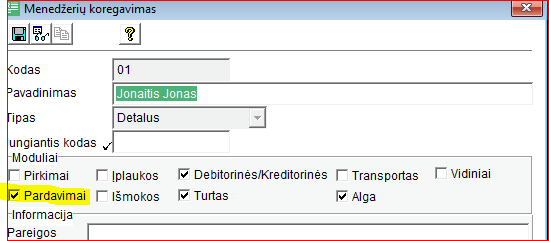
- Manager selection is prohibited in this module!- In the Rivile system, the manager's card should be adjusted and a check mark should be placedSales:
- The product/service code has expired- there is a mark on the product card in RivileTimedand specified due dates.
- There is no such client- the error informs that the client has been deleted in the Rivile system or such a client with the specified Rivile code does not exist in the Rivile system.
- A document with this document ID already exists (Pirkwazid=*****)- the system informs that such a document with such a document ID already exists in the Pragma database. Such a situation occurs when a document is not transferred for the first time and since such a record already exists in Pragma, then the web service no longer accepts it. The PurkVazID specified in the message is the record ID of the Pragma system document - it confirms that such a document already exists.
This error is received when invoices are repeatedly sent to Pragma. Pragma does not have the ability to update the account. When editing accounts in the Hanna system and wanting them to go to Pragma, you should first delete the account in Pragma. Otherwise, you will get an error that the accounts already exist.
- ERROR: The product is not in the product list- the generated sales document contains an item that no longer exists in the Hanna or Pragma system.
Was this helpful?
Still need help? Ask the team